



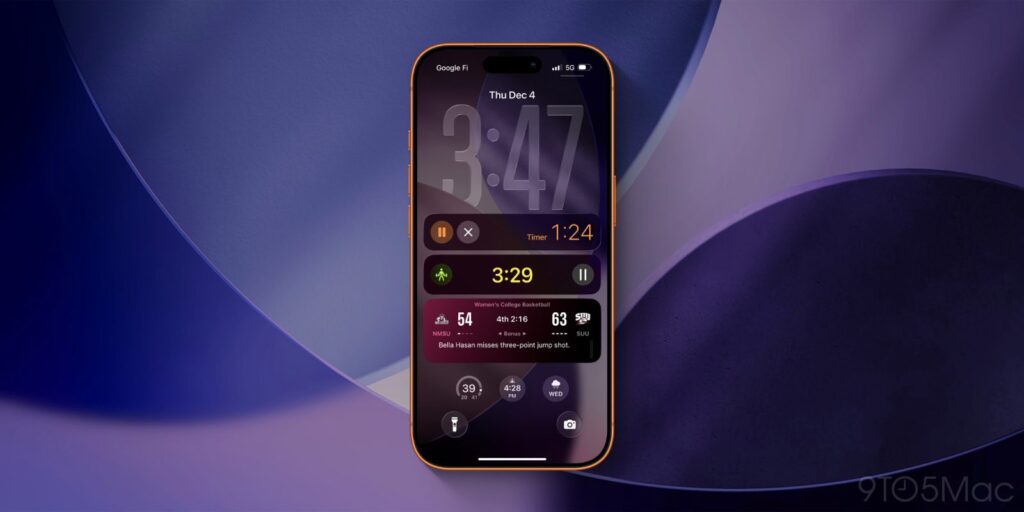
Apple has significantly upgraded its Live Activities feature in the latest release of iOS 26, enhancing user experience across multiple platforms. With these improvements, users can expect a more integrated and dynamic way to track activities and information directly from their devices.
New Features in the Fitness App
One of the standout additions in iOS 26 is the integration of Live Activities into the Fitness app. Previously, running workouts were exclusive to the Apple Watch, but with the introduction of heart rate monitoring in the AirPods Pro 3, iPhone users now enjoy full workout support. As soon as a workout begins, whether initiated from an iPhone or an Apple Watch, a Live Activity will appear on the Lock Screen and within the Dynamic Island. This allows users to easily monitor their workout duration and pause sessions as necessary.
Expanded Scheduling Capabilities
Apple continues to enhance the Sports app, which previously included scheduling capabilities for Live Activities to activate automatically at game start times. This feature is now extended to third-party apps through a new developer API, opening the door for innovative use cases. App developers can implement this scheduling feature, promising a variety of applications that could enhance user engagement.
Live Activities will also enrich the experience within the Wallet app. The latest version enables users to access upgraded boarding passes with Live Activity support, providing real-time flight information directly on their Lock Screen. Notably, these Live Activities can be shared, allowing users to send essential flight details to friends or family members.
Integration with CarPlay
Innovations also extend to CarPlay, where iOS 26 brings Live Activities into the car environment. Users will find that Live Activities running on their iPhones are automatically displayed on the CarPlay Home Screen, facilitating the tracking of flights, food deliveries, sports scores, and more while driving.
The expansion of Live Activities isn’t limited to iPhones. Apple is also introducing these features to the Mac and iPad through macOS Tahoe and iPadOS 26. In macOS, Live Activities will be featured in the menu bar but can be expanded for a full view. Users can click on these activities to launch the corresponding app on their iPhone via iPhone Mirroring. The iPadOS implementation is more restricted; however, it allows users to manage Background Tasks efficiently, making it easier to track extensive tasks like video exports without needing to keep the app open on screen.
As these enhancements roll out, Apple users can look forward to a more streamlined and interactive experience. The improved functionality of Live Activities promises to make everyday tasks more efficient and accessible across all Apple devices.
What features of the updated Live Activities in iOS 26 are you most looking forward to?