




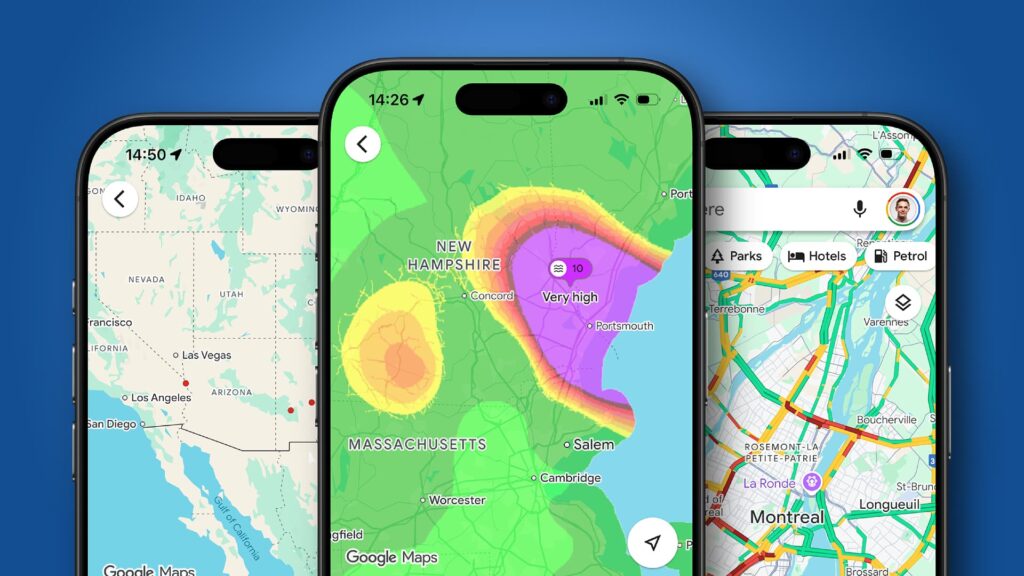
Using Google Maps effectively can transform how individuals navigate their surroundings. A recent exploration of the app’s features has revealed that many users may not fully utilize its capabilities, particularly the map details pane. This tool offers various filters and views designed to enhance users’ navigation experiences, providing critical information that can lead to better route choices and overall satisfaction.
Unlocking the Potential of Map Details
The map details option in Google Maps offers several layers and overlays that provide additional information on top of the standard map view. These enhancements work with the default, satellite, and terrain map types, ensuring users can benefit from them regardless of their preferred viewing style. One of the most valuable overlays is the live traffic information feature. When activated, it highlights major roads in different colors, with green indicating clear traffic and deep red representing heavy congestion. This functionality can significantly aid users in planning routes that avoid delays, making for a smoother travel experience.
Beyond traffic, Google Maps includes overlays that cater to various transportation preferences. For those reliant on public transport, the app highlights train stations and bike rental locations, as well as color-coded metro lines in cities with underground services. Cyclists will find the cycling routes overlay particularly useful, as it identifies the best paths for biking enthusiasts.
Additional Useful Features
Google Maps also offers overlays that enhance visual experiences, such as Street View and 3D filters. These features allow users to explore street-level details and view three-dimensional representations of buildings and landmarks. Health-conscious users will appreciate the overlays for air quality and wildfire alerts, which can help them avoid potentially hazardous areas.
Activating the map details feature is straightforward. Users need to open the app and tap the layers button located in the top-right corner. Under the map details heading, they can select from the available options to activate the desired overlay. It is important to note that only one map details filter can be active at a time. Despite its potential benefits, the map details feature may be overlooked due to its placement behind a small layers button, which users might miss.
Once familiar with these features, users may find themselves returning to them repeatedly. The simplicity and utility of the map details pane can significantly enhance navigation, whether individuals are checking traffic conditions, seeking the best cycling routes, or staying informed about environmental factors like wildfires and air pollution.
In conclusion, Google Maps’ map details feature presents an opportunity for users to improve their travel experiences significantly. Familiarizing oneself with these options could lead to more informed decisions and ultimately a more enjoyable journey.